Registering a Sender Name
How to Register a New Sender Name
Please follow these steps to register a new sender name:
- Make sure you have prepared all the required documents and information for registering the sender name. You can find the list of requirements at the following . link
- Log in to your account via: https://portal.taqnyat.sa
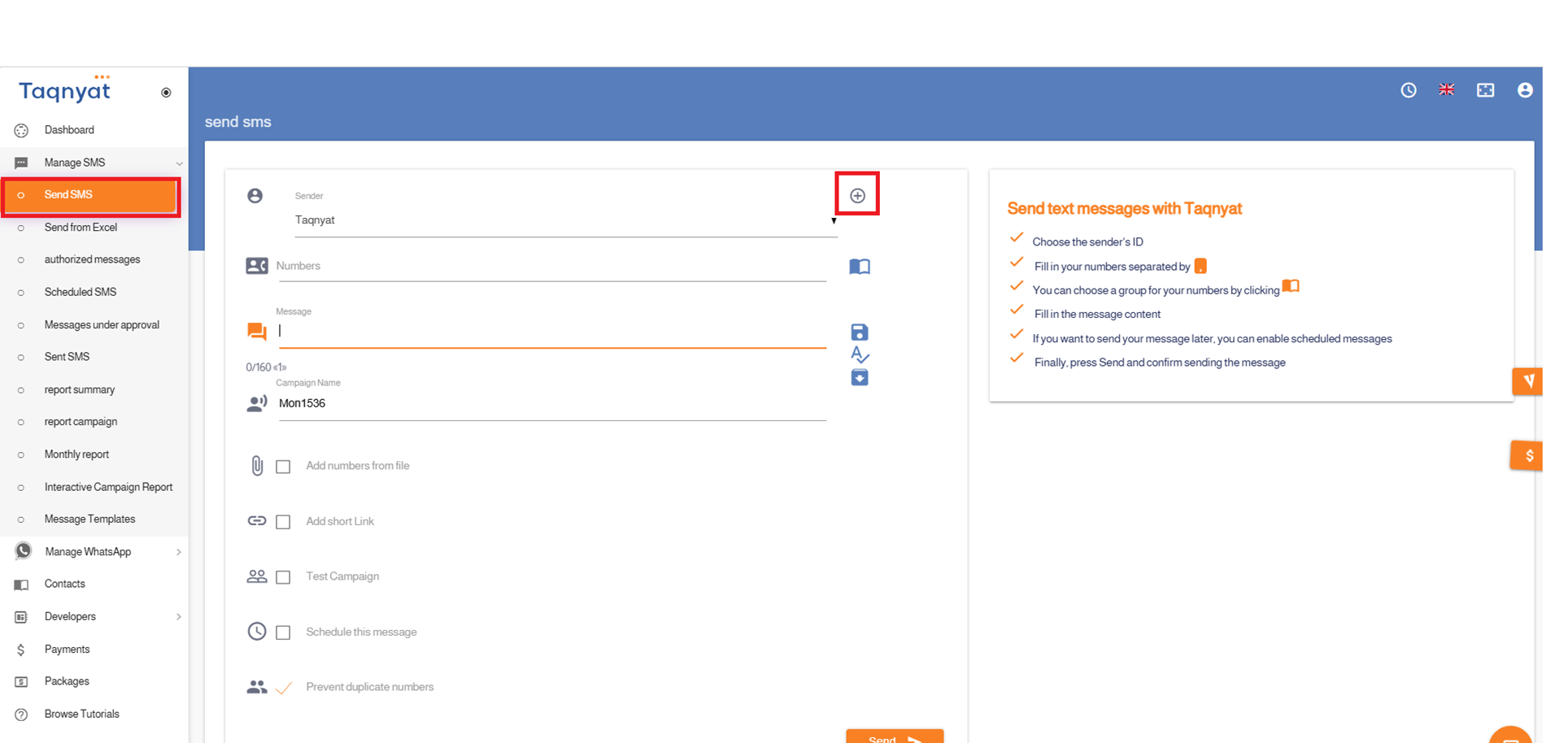
- Select "SMS Management".
- Choose "Send Messages".
- Click the + icon located to the left of the "Sender Name" option.
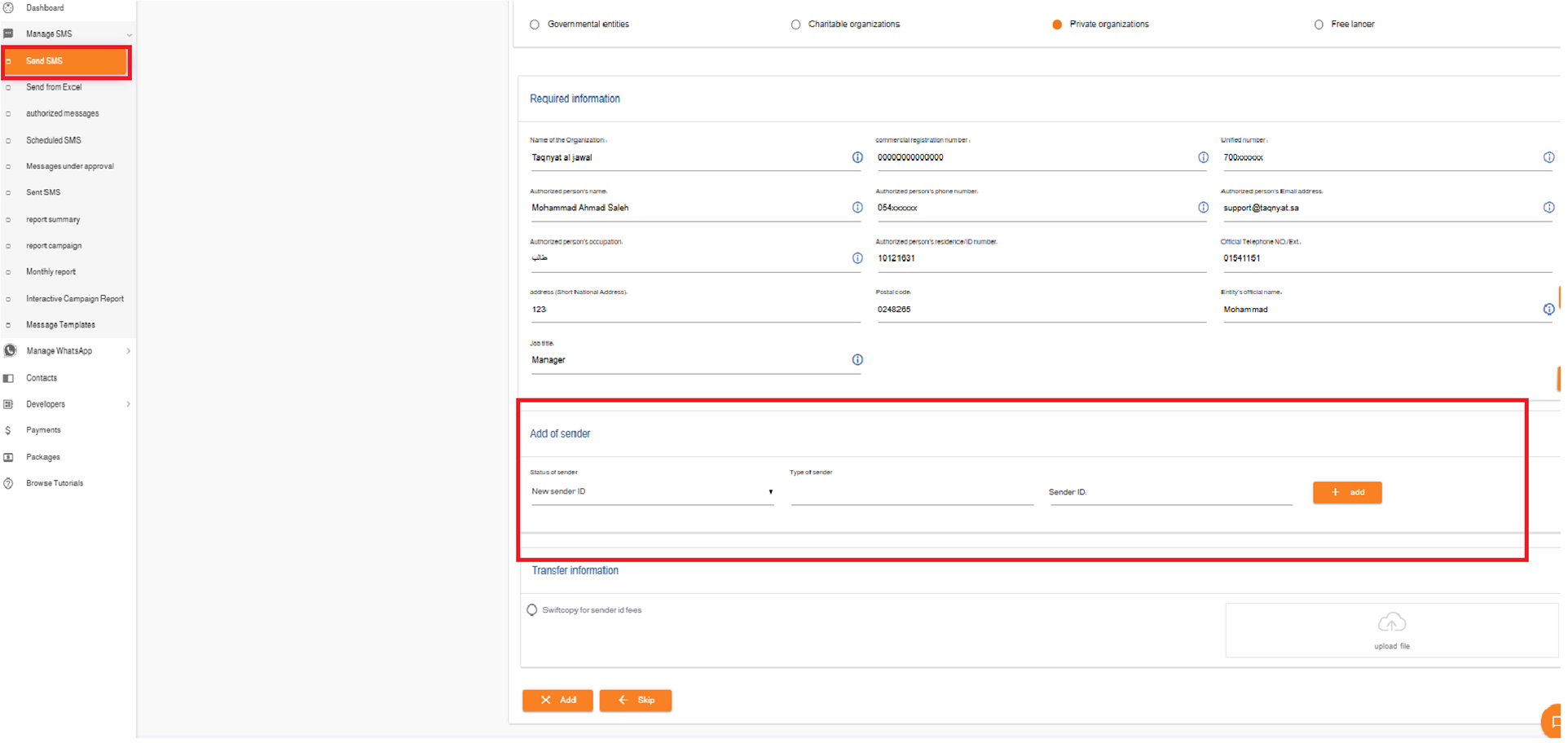
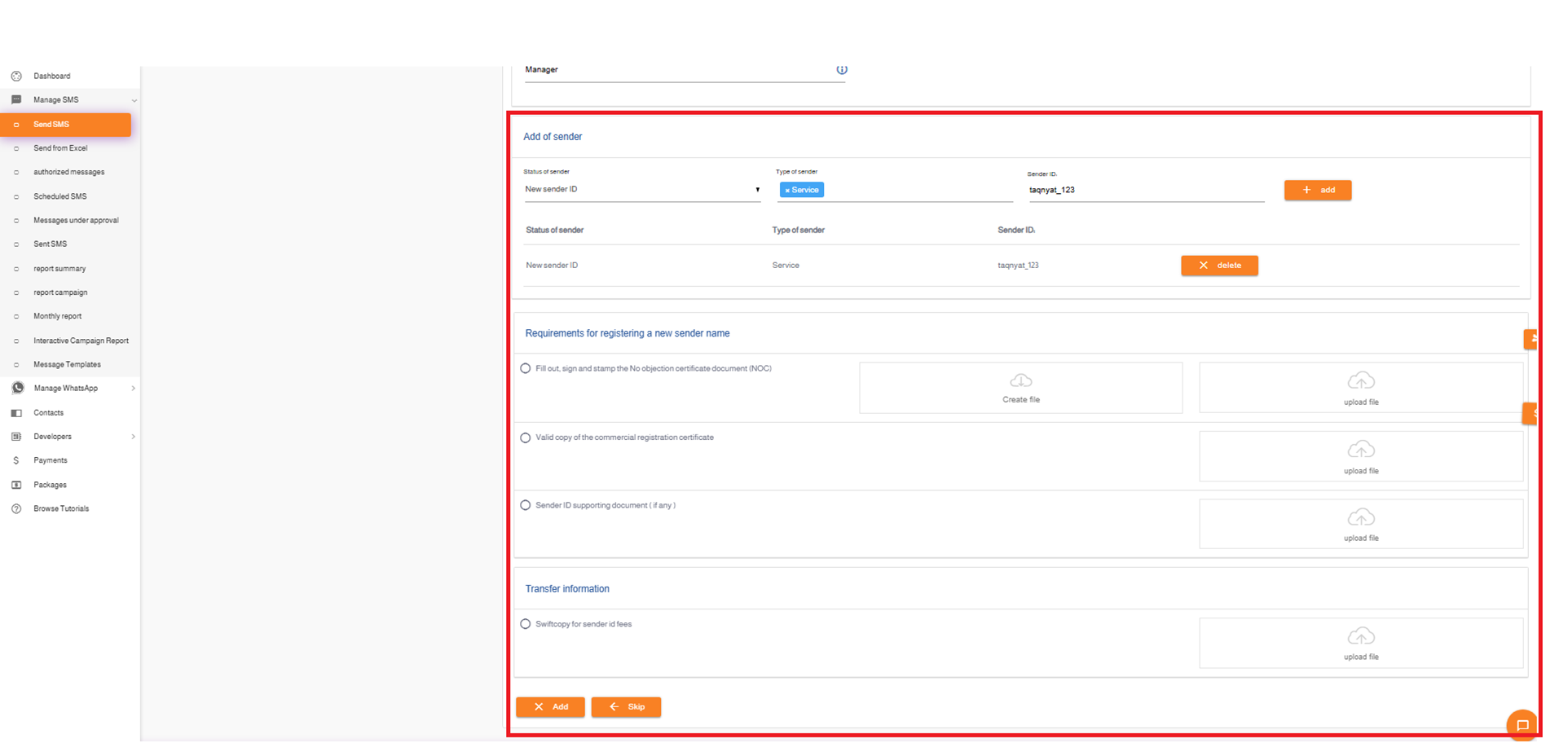
- Fill in the required fields.
- Upload the necessary documents.
- Click "Submit Request" to complete the registration process.
Sender Name Acceptance Criteria
- Provide all necessary documents and information for the sender name registration.
- The name must be in English.
- For service sender names, the length must not exceed 11 characters.
- For promotional sender names, the length must not exceed 8 characters (the suffix -AD will be added automatically).
- One sender name can be registered for both service and promotional use if it does not exceed 8 characters.
- The name must be at least 2 characters long.
- Allowed special characters: . / - _ &
- There must be a clear relationship between the sender name and the entity or business activity it represents.
Status Meanings of Sender Names :
- Pending Activation : The sender name is still under registration with the telecom companies' system.
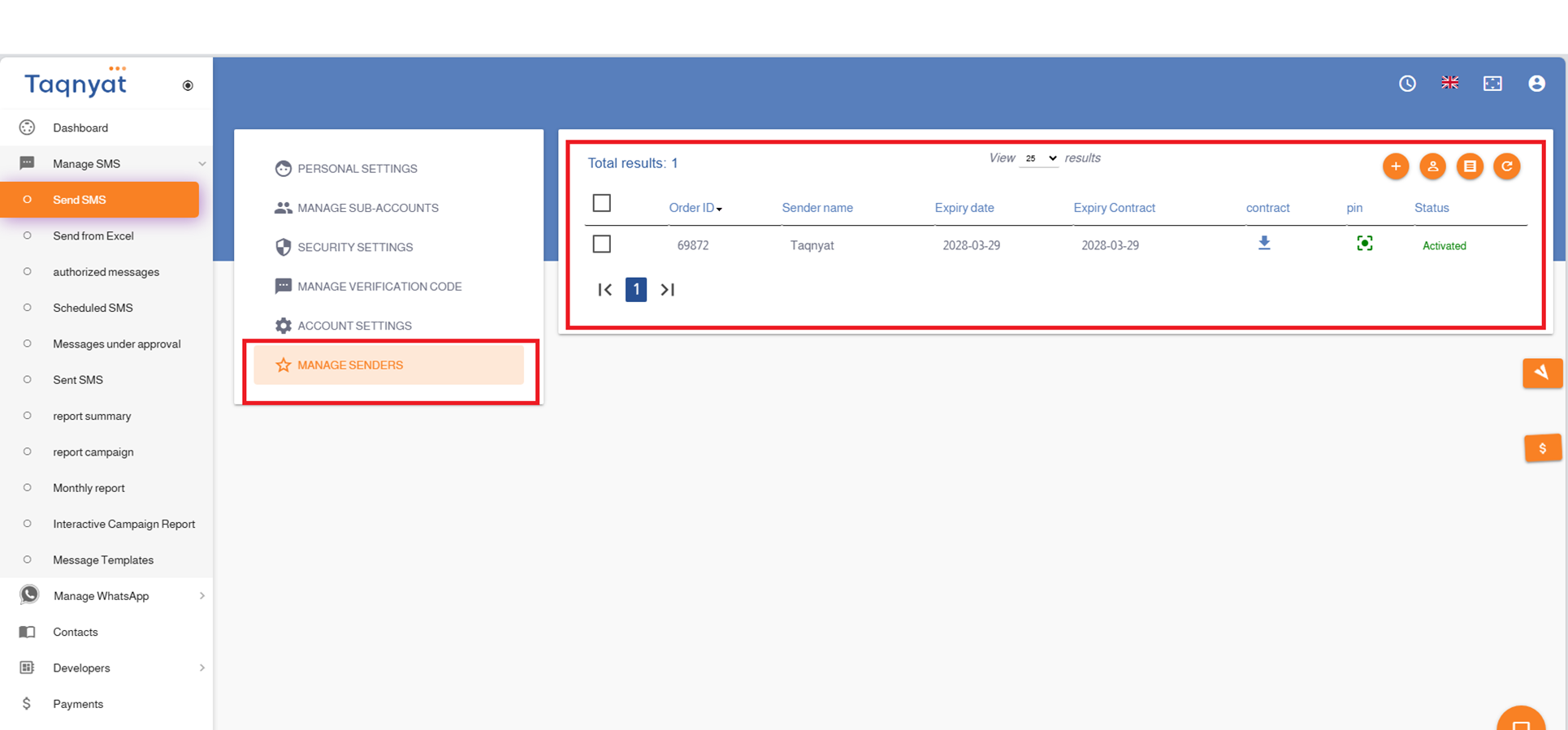
- Activated : The sender name has been registered and approved by the telecom companies' system, and you can send messages using it.
- Rejected : The sender name request was rejected. You can view the reason for rejection and resubmit the request by clicking "Edit".
Sender names are registered through the telecom companies' system under the supervision of the Communications, Space, and Technology Commission. According to the telecom system quality policy, the registration process takes up to 3 business days.
Reference Images:
Renewing the Sender Name
Sender Name Renewal
The renewal fee for a sender name is SAR 230 per year. You may renew for more than one year, up to a maximum of 5 years.
To renew your sender name, please send the following documents to support@taqnyat.sa :
- A copy of the payment transfer for the sender name renewal fee.
- A signed and stamped contract verification document.
Please download the appropriate form based on your entity type:
1. For commercial entities: The following link :
2. For charitable organizations: The following link :
3. For government entities The following link :
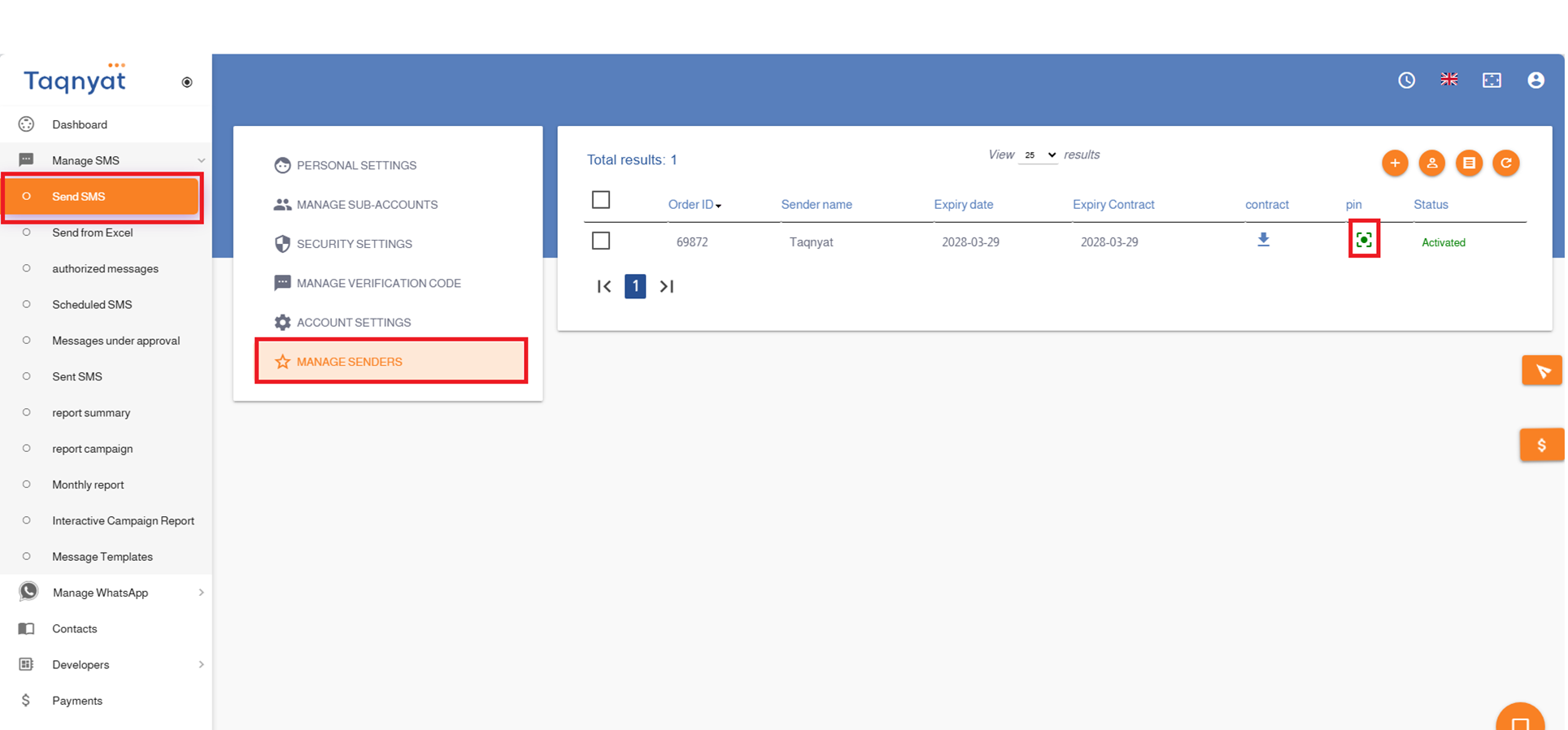
Pinning it on the Sending Page
Pinning the Sender Name on the Sending Page
You can pin a sender name on the message sending page by following these steps:
- Go to the Settings section in your account.
- Select Sender Name Management.
- Choose the sender name you wish to pin.
- Click the pin icon to complete the process.
Reference Image: