Activating API Sending
Activating API Sending
We offer you the ability to integrate the SMS service into your application via API. Below, you will find guides to help you get started with the integration in just a few minutes:
1. To ensure secure sending through the API service and to comply with the Communications and Information Technology Commission regulations, please generate Bearer Tokens and register your IP address in the whitelist. Messages sent from IP addresses not registered in the whitelist will be rejected. You can find a detailed guide on generating Bearer Tokens and registering your IP in the whitelist at the following link. link
2. We provide integration solutions with various ready-made systems such as Noor System, Salla Platform, and Daftra Platform, with more integrations in progress to expand connectivity and assist developers in completing their tasks easily. For available integration solutions, please visit:
3. For API documentation and guides, please visit: https://dev.taqnyat.sa/en/doc/sms/
4. Sample code is also available to assist you in completing the API integration process smoothly. https://dev.taqnyat.sa/en/programming_examples/index.html
Note: If there is an issue with repeated message sending from your application, we provide a built-in function to prevent receiving duplicate messages within 15 minutes from our gateway. You can use and add it to the send function using the parameter: smsId=0.
Creating a Bearer Token Holder
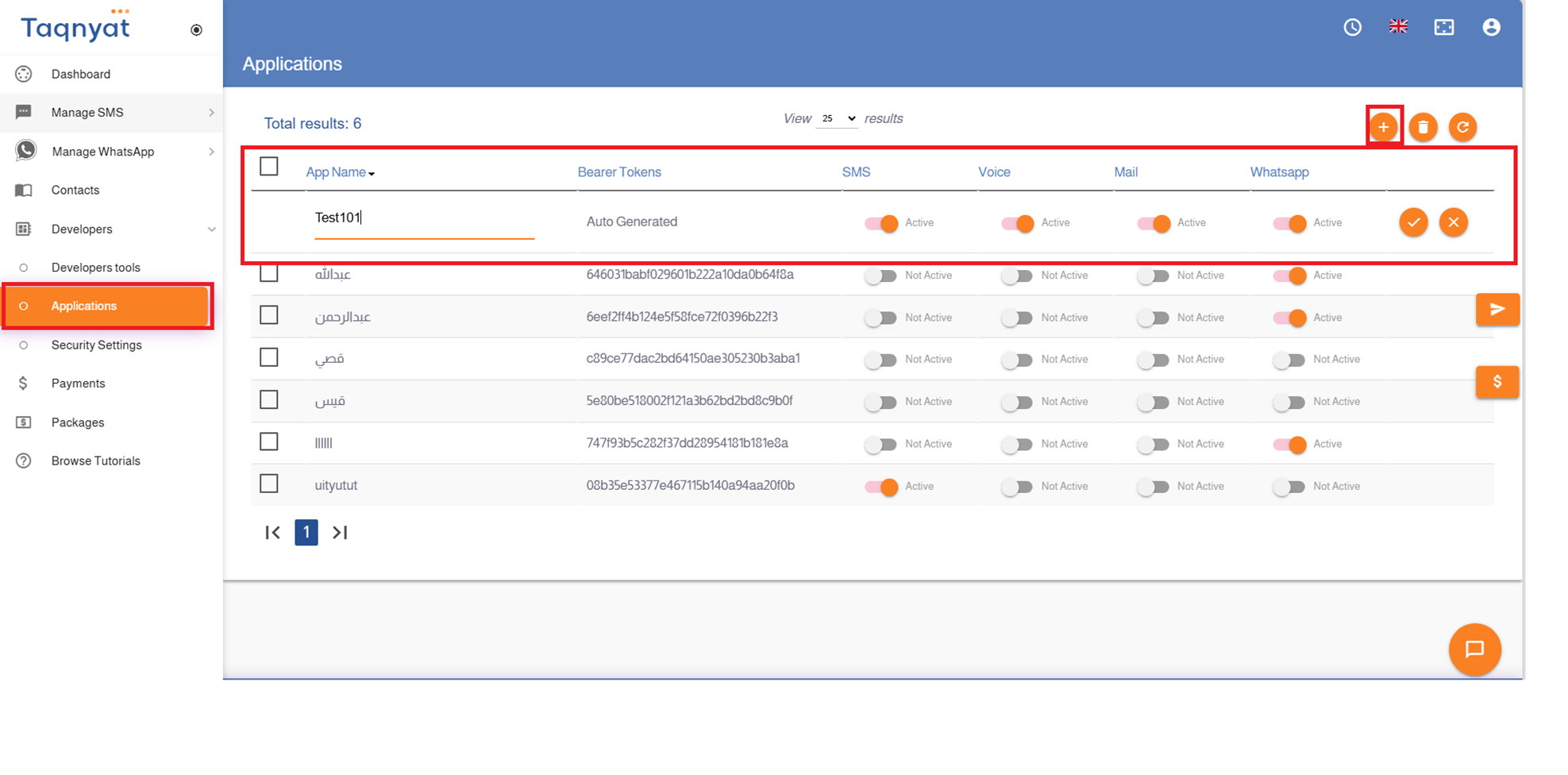
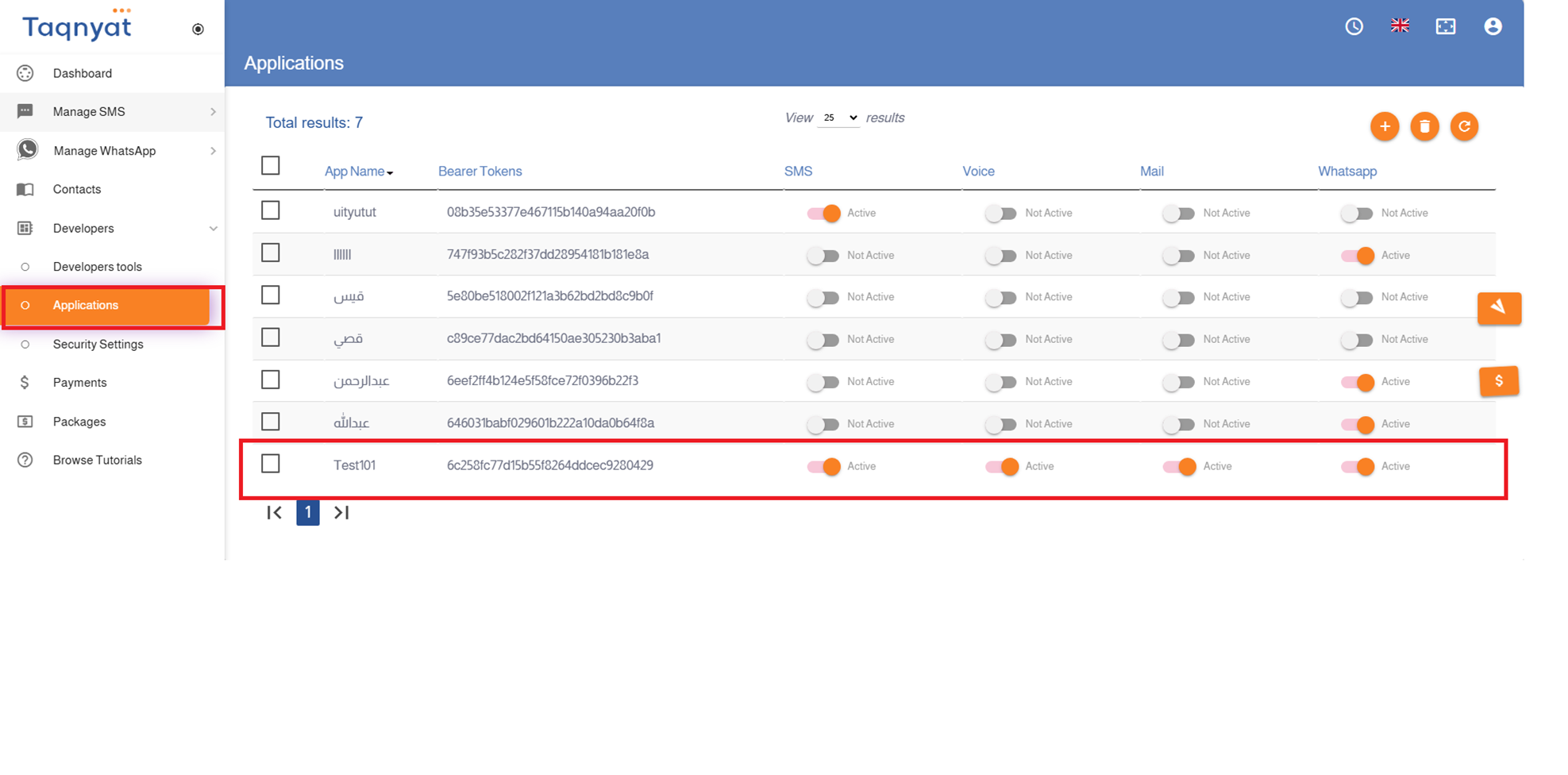
To use our API, you will need a Bearer Token, which can be generated from your account by following these steps:
- Log in to your account via https://portal.taqnyat.sa/
- Select "Developers"
- Click on "Applications"
- Click the "+" icon to create a new Bearer Token
- Enter your website name in the Application Name field
- Enable the SMS product
- Click the checkmark icon to complete the process
Reference Image:
Adding a Server Address to the Whitelist
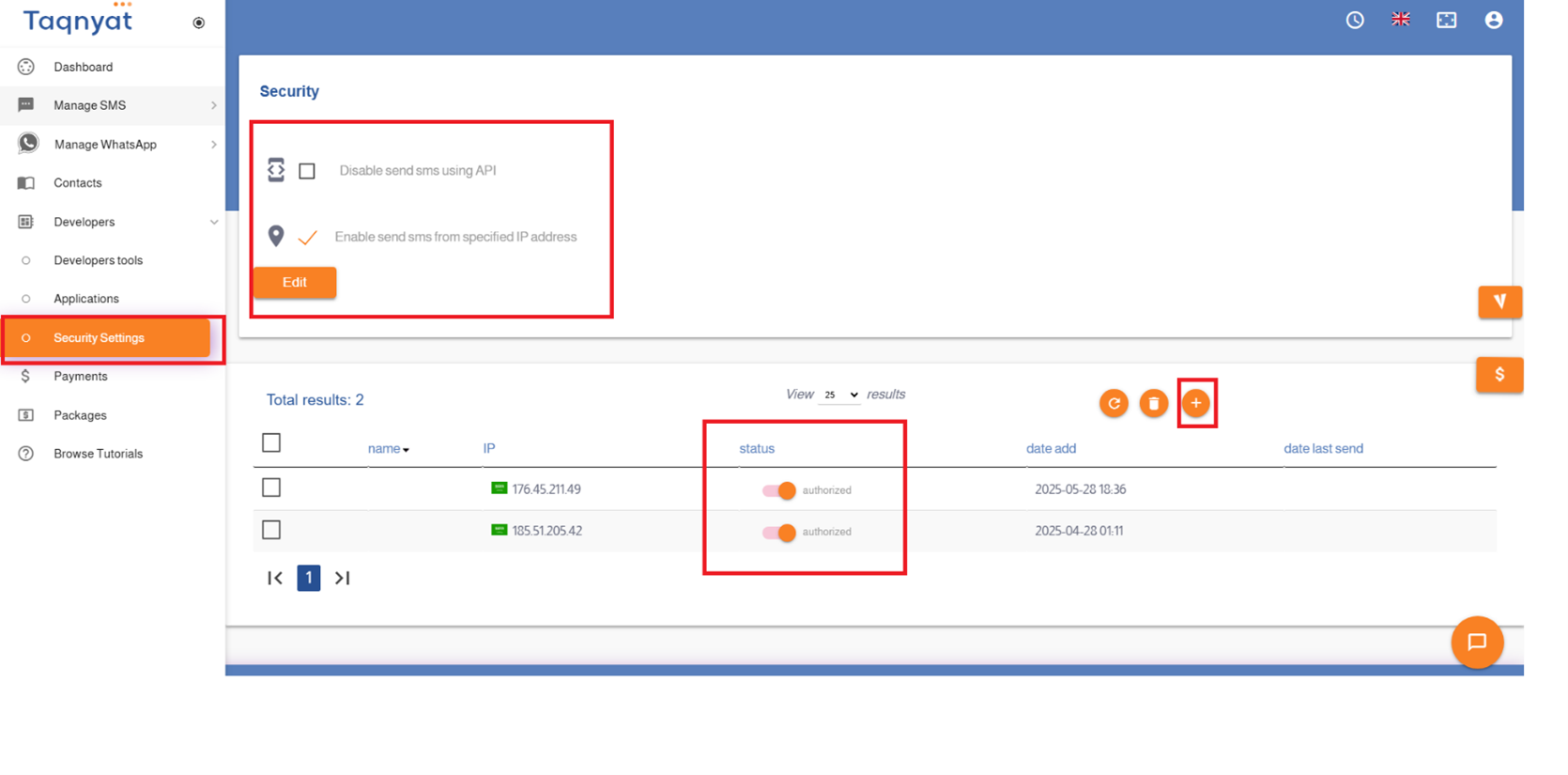
To add a server IP address to the whitelist, please follow these steps:
- Log in to your account via https://portal.taqnyat.sa/
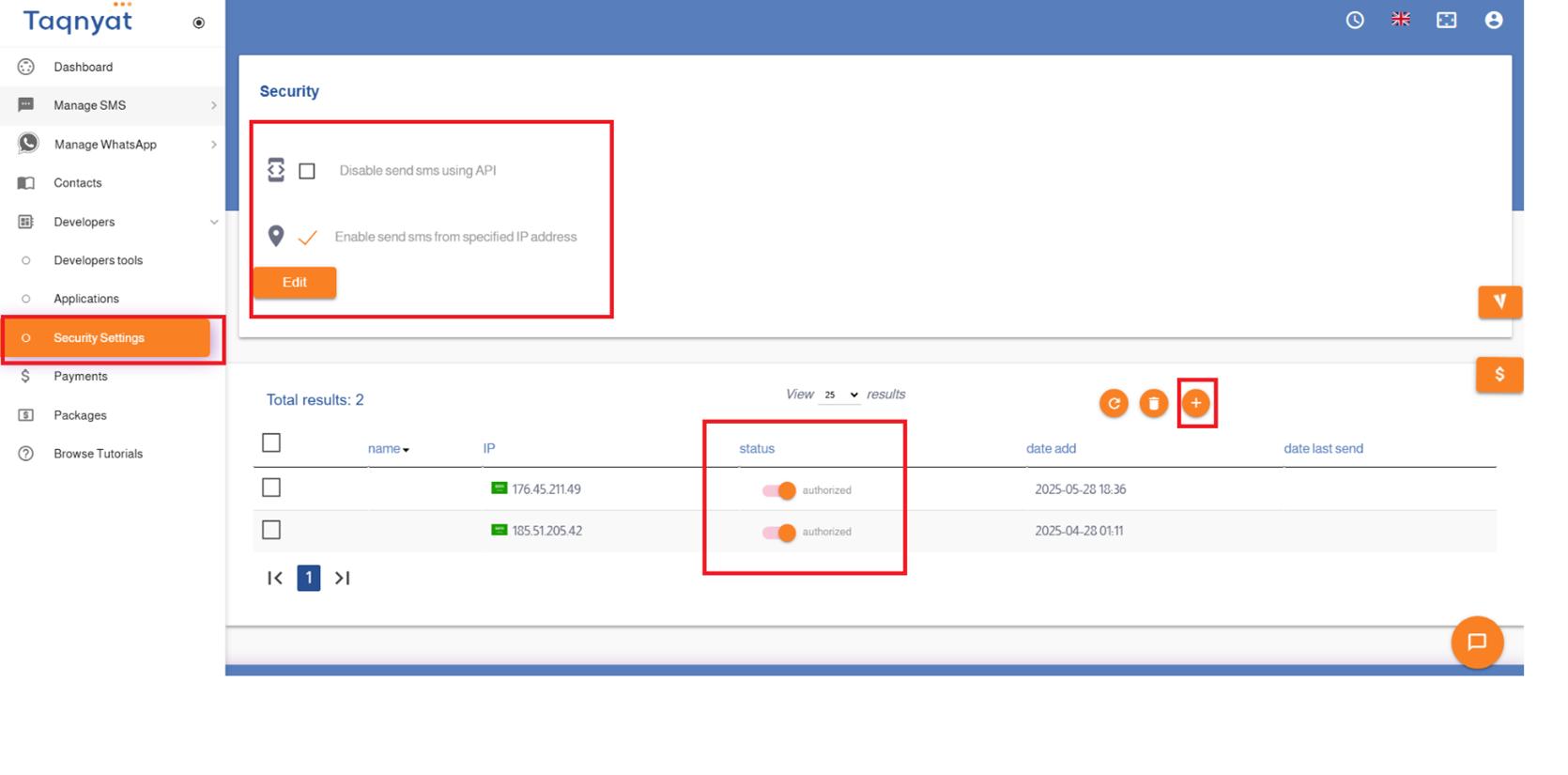
- Go to Security Settings
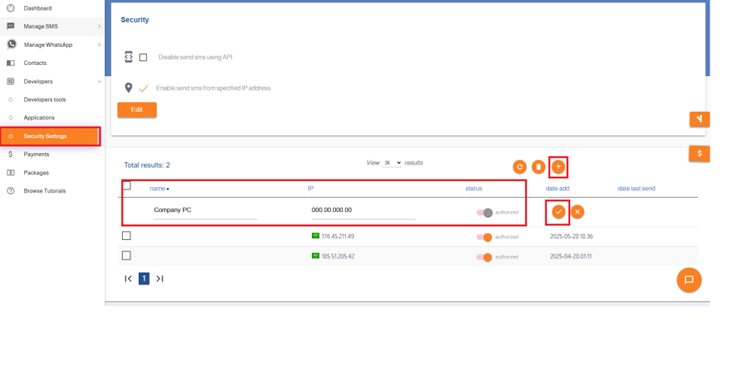
- Click the "+" icon to add a new IP address
- In the Name field, enter a custom label for the IP address
- In the Server Address field, enter the IP address
- Set the Status to "Authorized"
- Click the checkmark icon to confirm
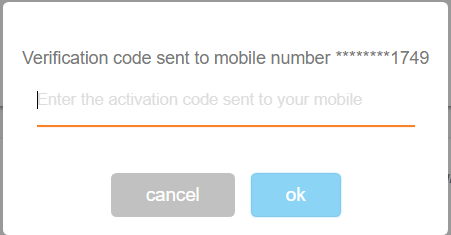
- Enter the two-factor authentication code sent to your registered phone to complete the process
Note: If you attempt to send via API using an IP address that is not whitelisted, you will receive an email alert. The IP will be automatically added to your security settings with the status "Unauthorized", and you must manually change its status to "Authorized" to enable sending.
Reference Image:
Security Settings
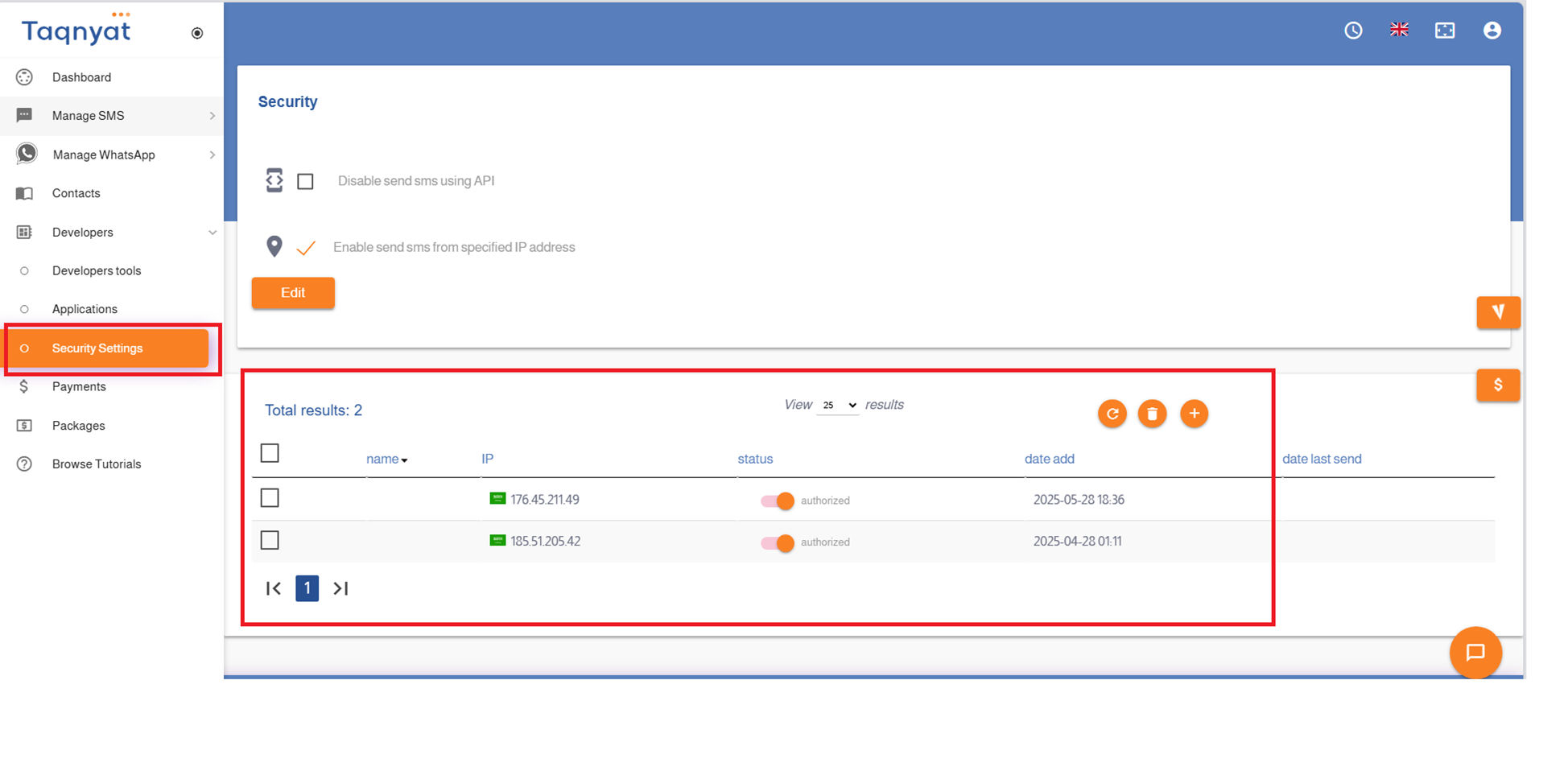
To ensure the security of your account and comply with the regulations of the Communications and Information Technology Commission, we offer Security Settings that allow you to manage access to your account by specifying the IP addresses permitted to access it.
- Disable sending via gateways: You can block or allow integration with your account via the API. If this option is enabled, your account cannot be connected via API.
- Enable sending from specific IP addresses: To allow access to your account, you must add the server IP address to the whitelist. Access will be denied if attempts are made from IPs that are not listed.
Reference Image:
Webhook
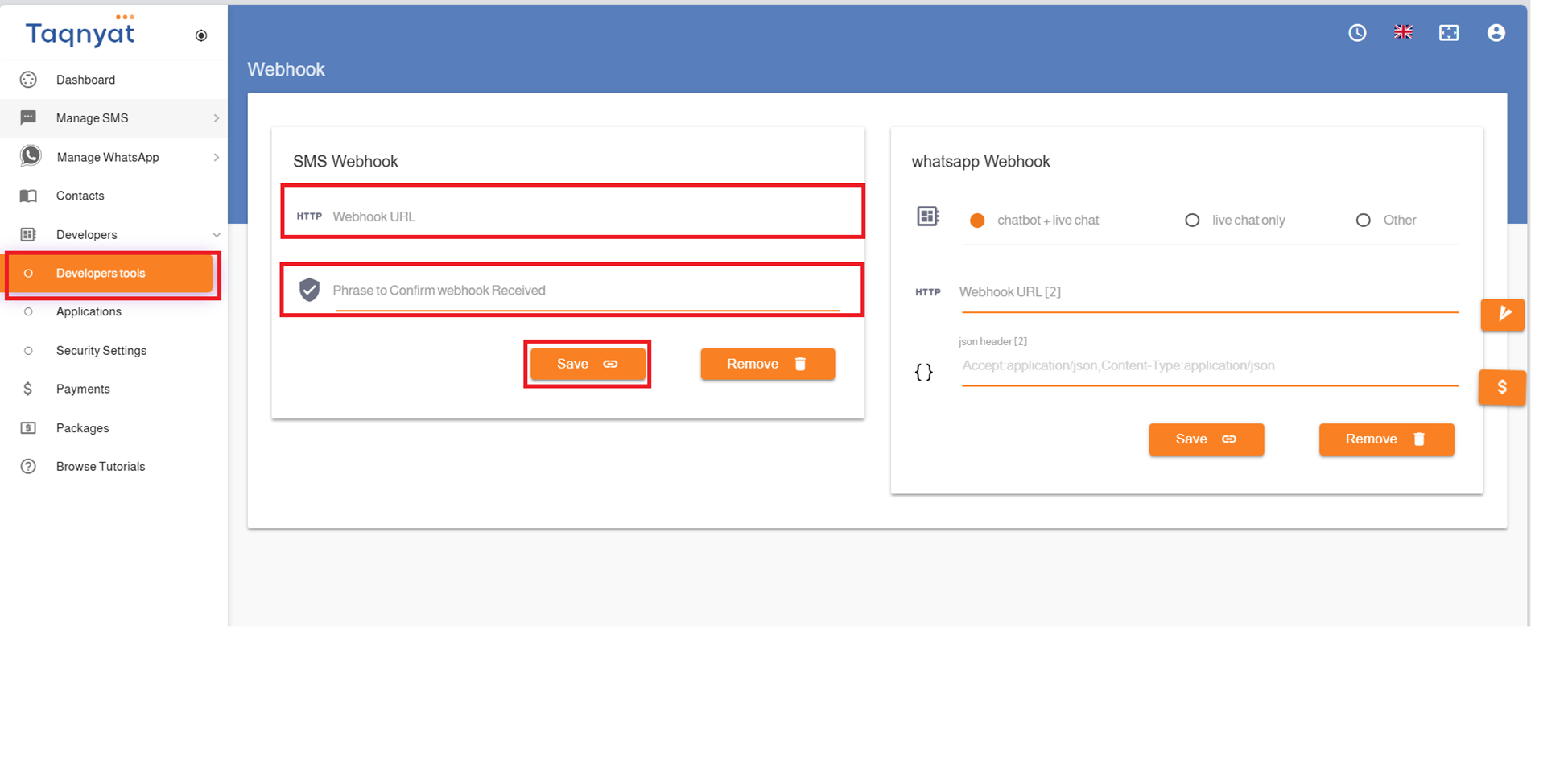
The Webhook service allows you to receive delivery reports directly on your own website.
You can view a detailed guide at the link below:
- In the Webhook URL field, enter the web address where you wish to receive the delivery reports.
- The Webhook confirmation phrase is a custom phrase defined in your system, which must be returned to us as a response to confirm that your server successfully received the delivery report.
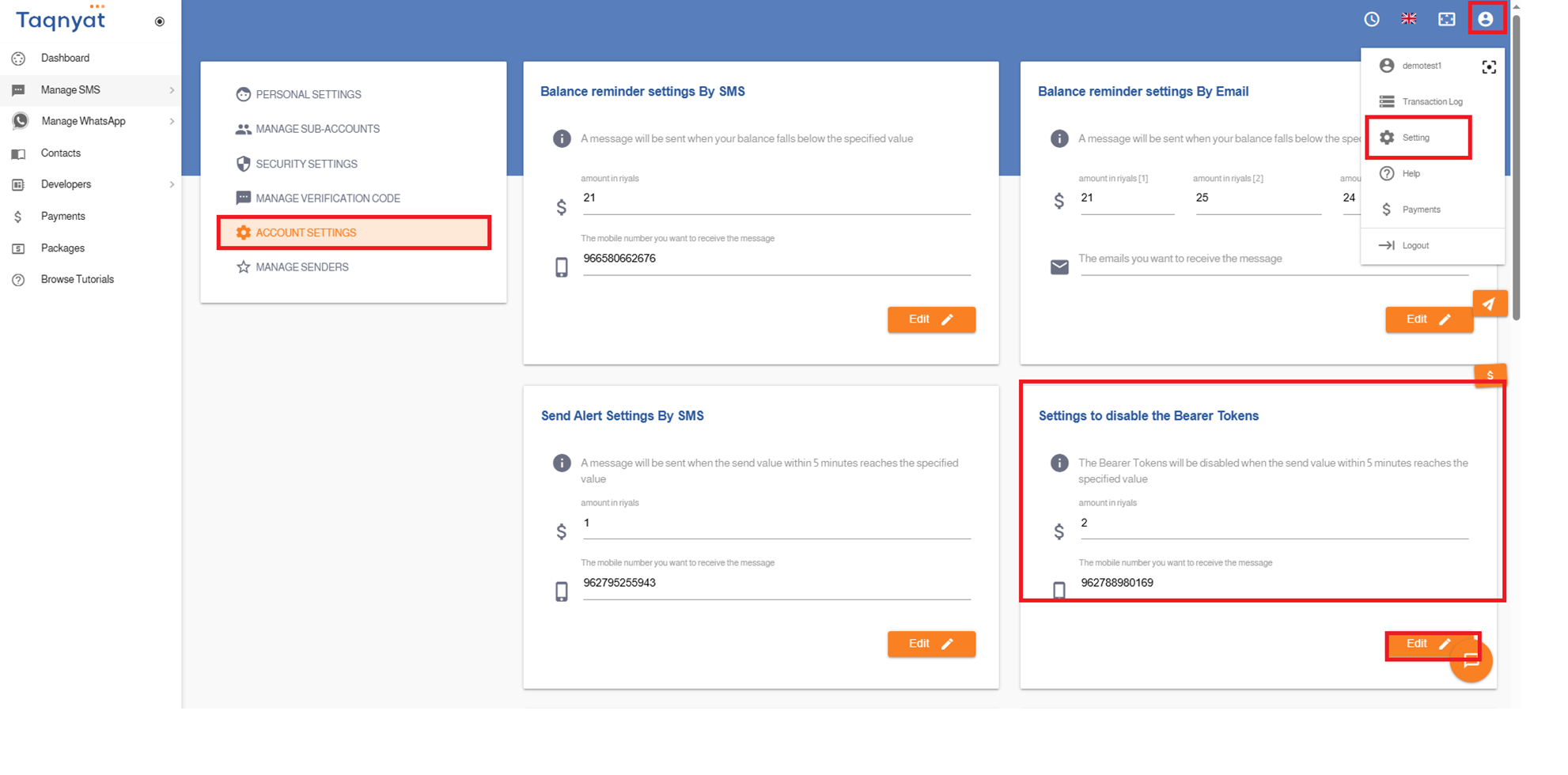
Reference Image:
Disable Sending Keys
The "Send Keys Deactivation Settings" feature is related to API-based message sending. It allows you to:
• Receive an SMS alert when the value of messages sent from your account within 5 minutes reaches a specified limit.
• Automatically deactivate the sending keys to prevent further sending once that limit is reached.
This helps ensure that all sending operations from your account are legitimate and under control.
To activate this feature, please follow these steps:
- Log in to your account via https://portal.taqnyat.sa/
- Go to Settings
- Select Account Settings
- Under the option "Send Keys Deactivation Settings", set the threshold value for which an alert should be sent and the sending keys should be disabled.
- Specify the phone number where the alert message should be sent when this threshold is triggered.
Reference Image: