How do I add a new template?
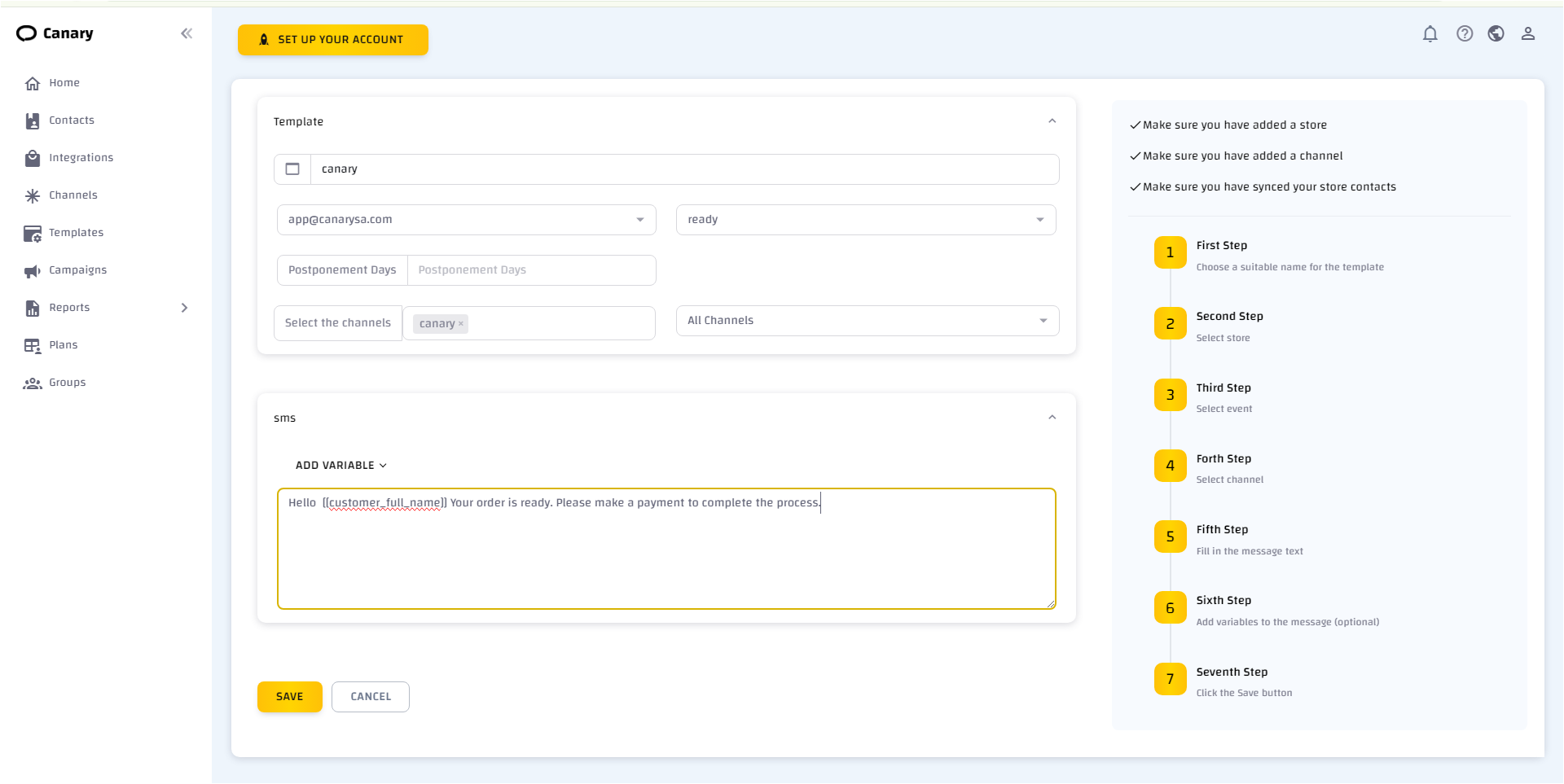
To add a template, log in to your account, click "Templates", and follow these steps:
- Click "New template".
- The template addition page will appear.
- Choose a suitable name for the template.
- Choose the store to track order statuses (if you do not have an active store, activate it from the ZId or Salla platform).
- Choose the event, which is the available order statuses in your store.
- Choose the channel you want to use (if you do not have channels, refer to the explanation on the channels page).
- Fill in the message text suitable for the event (you can add variables to the message such as the client's name or order number by clicking "Add variable").
- Ensure that all your clients have been added to the contacts page (refer to the explanation on the contacts page).