How do I add a new channel?
To add a new channel, log in to your account, click on "Channels", and follow these steps:
- Click "New channel" at the top of the page.
- A pop-up screen will appear with the available channels.
- Choose the channel that meets your needs.
- Fill in the required information. The information varies depending on the channel. Here are the steps for each:
SMS with Taqnyat :
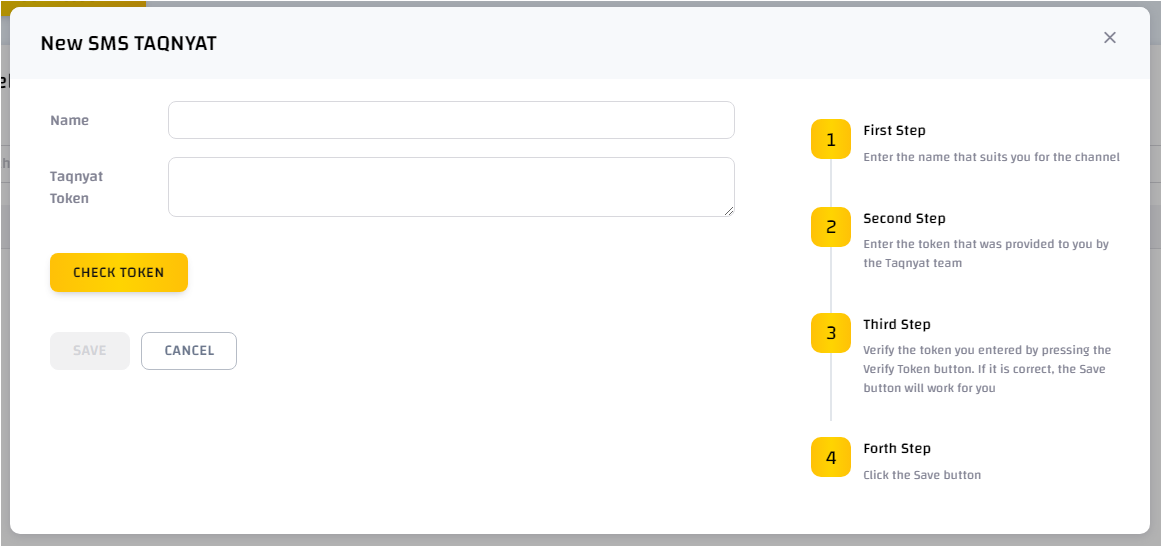
- Enter the channel name
- Enter the token provided by the Taqnyat team.
- Verify the token by clicking "Check token". If correct, the "Save" button will be enabled.
- Click "Save".
WhatsApp with Meta:
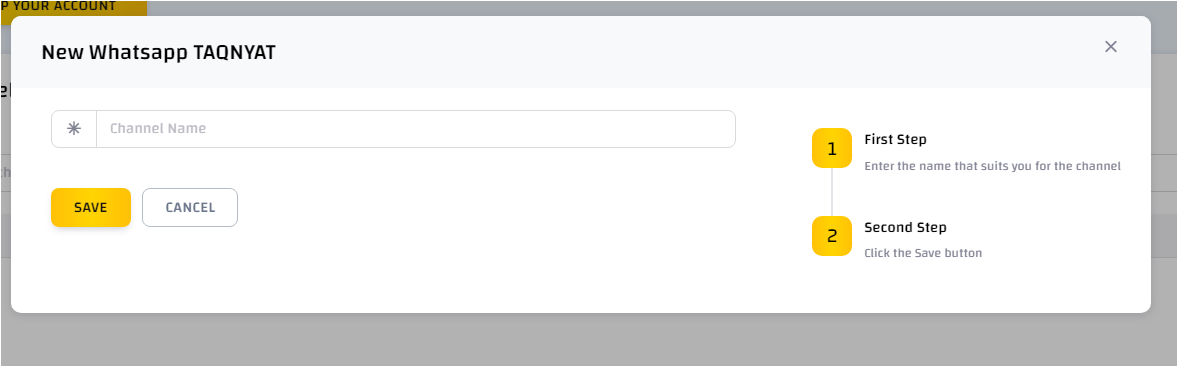
- Enter the channel name and click "Save".
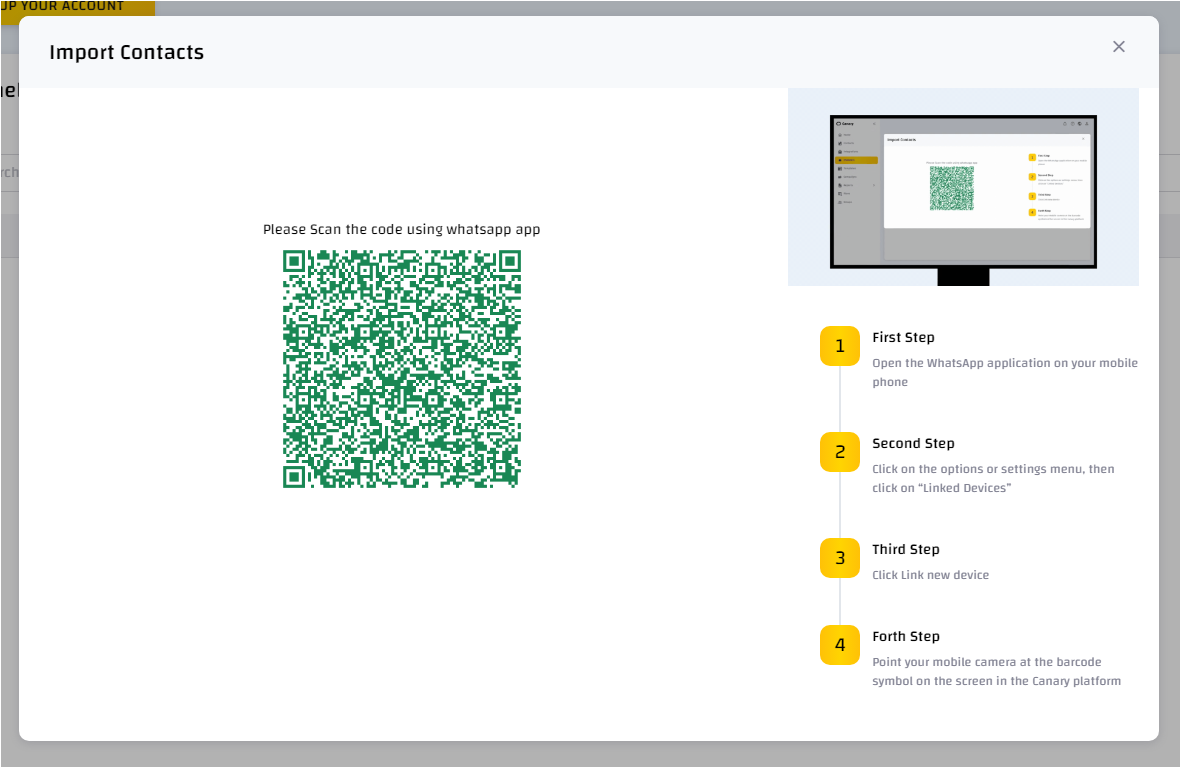
- A pop-up screen with a QR code will appear.
- Scan the QR code using the WhatsApp application on your phone by going to Settings < Link Device.
- After linking, a pop-up screen will appear to import contacts from your phone. Click "Yes" if you wish to do so.
WhatsApp Business with Taqnyat:
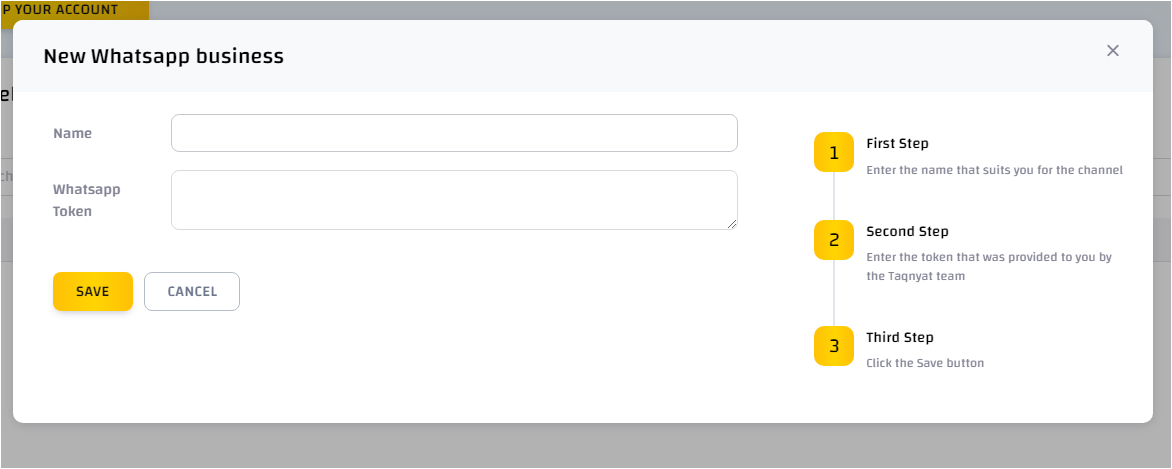
- Enter the channel name
- Enter the token provided by the Taqnyat team.
- Click "Save".
Email with Zoho:
- Enter the channel name
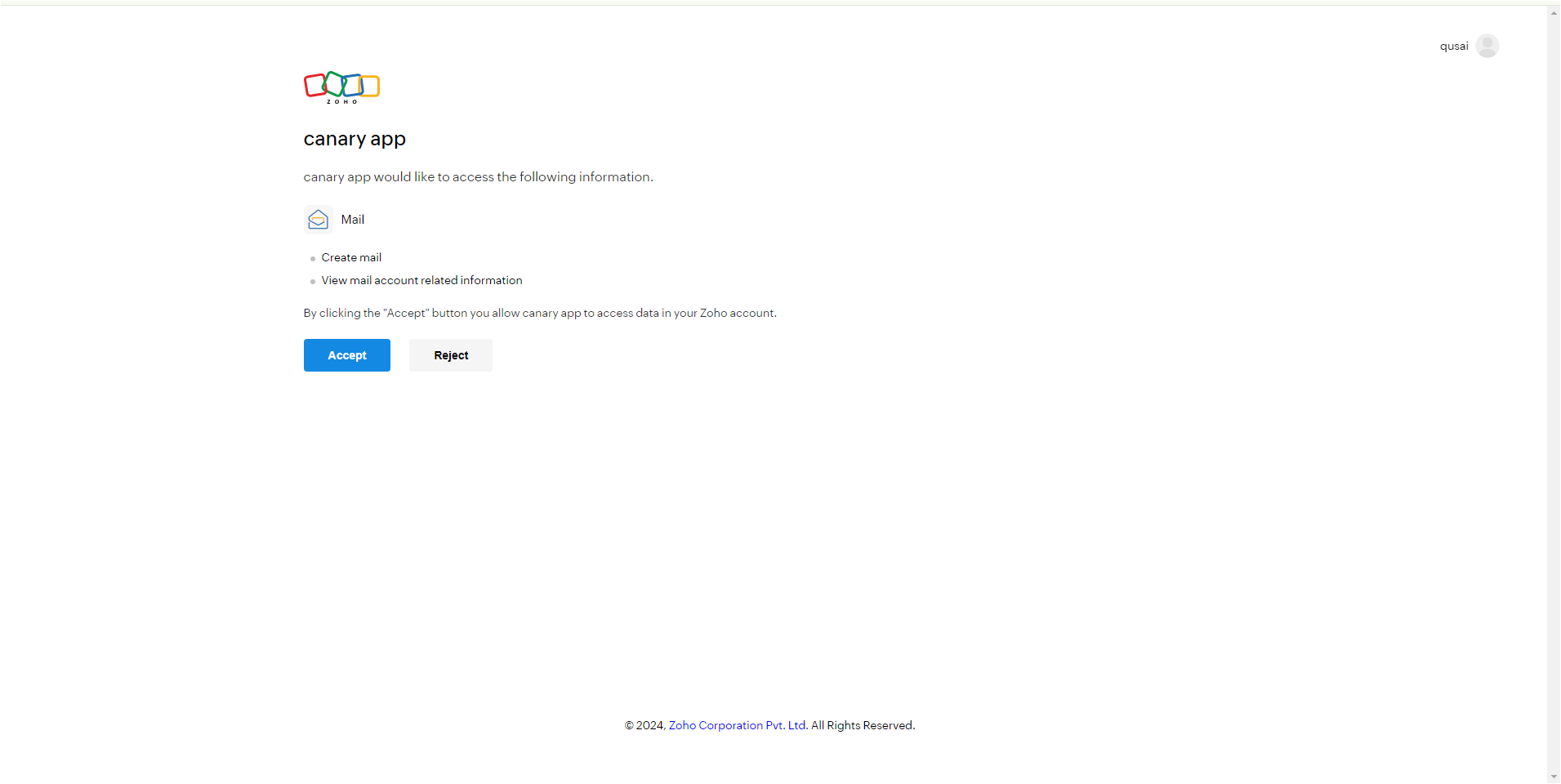
- Click " Account Authentication ".
- You will be redirected to the Zoho login page.
- Log in to your Zoho account
- agree to the permissions needed by Canary.